העלה סרטון קצר
בחר MP4, WebM, MOV או פורמט שהדפדפן יכול לקרוא.
כלי פרטיות לווידאו בדפדפן
טשטשו פנים, טקסט, לוחיות רישוי, מסכים ופרטים פרטיים בסרטונים קצרים ישירות בדפדפן.
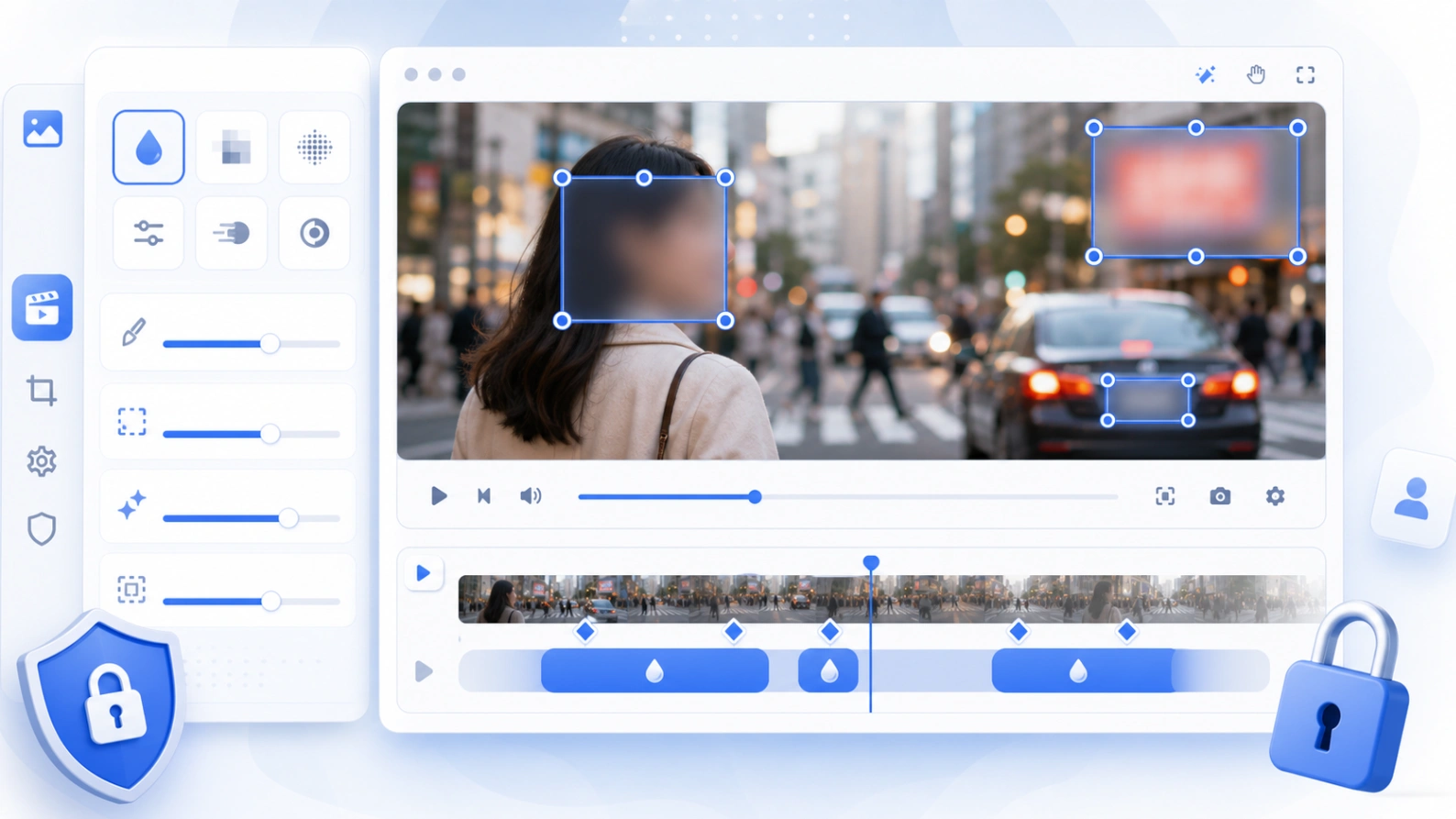
First version focuses on manual control: rectangle blur areas, drag and resize handles, time ranges, and simple keyframes for moving subjects.
איך זה עובד
Use the editor when you need a quick browser-based way to hide sensitive video details before publishing or sharing.
בחר MP4, WebM, MOV או פורמט שהדפדפן יכול לקרוא.
מקם מלבנים על פנים, לוחיות, מסכים, שמות, כתובות או צאט.
בחר התחלה וסיום; הוסף keyframes אם האובייקט זז.
שמור את הווידאו ובדוק מידע פרטי לפני פרסום.
שימושים נפוצים
הכלי מתאים לעריכת פרטיות כאשר בחירה ידנית של האזור אמינה יותר מתוצאה אוטומטית בלחיצה אחת.
הסתר אנשים בקליפים מאירועים, סיפורי לקוחות, שיעורים, צילומים ציבוריים ופוסטים חברתיים.
כסה אימיילים, שמות משתמש, מספרי הזמנה, כתובות, צ’אטים, לוחות בקרה ופרטי חשבון.
מתאים לסרטוני רחוב, טיולים, מודעות רכב יד שנייה, משלוחים וצילומי מצלמת דרך.
בחר טשטוש רך, פיקסול ברור או מסכה שחורה לכיסוי חזק יותר.
פרטיות ומגבלות
This first version uses local browser APIs for preview and export. It avoids server-side processing and does not load heavy video encoders on first paint.
תצוגה מקדימה וייצוא פועלים בדפדפן, מתאים לסרטונים קצרים.
הסתר פנים, לוחיות, טקסט, לוחות ניהול ונתוני לקוחות.
דחוס או חתוך את הסרטון אם הזיכרון במכשיר מוגבל.
FAQ
Answers for privacy, quality, formats, keyframes, and mobile use.
כן. מקם אזור על הפנים והשתמש ב-keyframes אם יש תנועה.
כן. השתמש בטשטוש, פיקסול או מסכה שחורה.
תצוגה מקדימה וייצוא פועלים בדפדפן.
כלים קשורים
Blur faces, text, screenshots, and private image details.
פתח כלי →Hide faces in photos before posting or sharing.
פתח כלי →Cover names, emails, addresses, and private screenshot text.
פתח כלי →Make privacy edits obvious for faces, plates, screenshots, and documents.
פתח כלי →