ปกป้องตัวตนก่อนเผยแพร่
ใช้หน้านี้ก่อนแชร์ รูปงานอีเวนต์ โรงเรียน ทีม ลูกค้า หรือโซเชียลมีเดีย. เก็บบริบทสำคัญของภาพไว้พร้อมซ่อน ใบหน้าและผู้คน, เหมาะกับโซเชียล เอกสาร งานซัพพอร์ต และเนื้อหาสาธารณะที่ไม่ต้องการเปิดเผย ตัวตนส่วนบุคคล.
แก้ไขภาพแบบเป็นส่วนตัวในเบราว์เซอร์
แก้ไขรูปก่อนโพสต์และซ่อนใบหน้า ข้อความ สถานที่ ป้ายทะเบียน หน้าจอ และรายละเอียดส่วนตัว
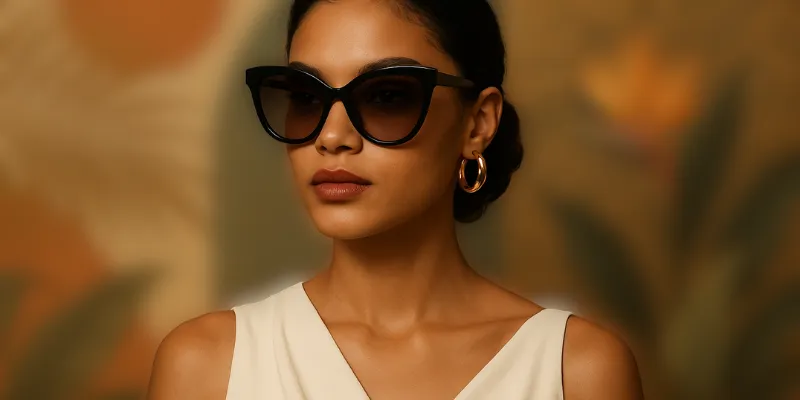
อัปโหลดรูปภาพ ปรับความเข้มของการเบลอ ดูตัวอย่างแบบเรียลไทม์ และดาวน์โหลดรูปภาพที่เบลอ
ใช้หน้านี้ก่อนแชร์ รูปงานอีเวนต์ โรงเรียน ทีม ลูกค้า หรือโซเชียลมีเดีย. เก็บบริบทสำคัญของภาพไว้พร้อมซ่อน ใบหน้าและผู้คน, เหมาะกับโซเชียล เอกสาร งานซัพพอร์ต และเนื้อหาสาธารณะที่ไม่ต้องการเปิดเผย ตัวตนส่วนบุคคล.
การเลือกด้วยมือช่วยได้เมื่อเครื่องมืออัตโนมัติตรวจไม่ดีพอสำหรับ ใบหน้าและผู้คน. คุณสามารถเลือกให้กว้างขึ้นเล็กน้อยและดูตัวอย่างก่อนดาวน์โหลด ตรวจขอบภาพ เงาสะท้อน พื้นหลัง และเบาะแสที่อาจเปิดเผย ตัวตนส่วนบุคคล.
เพิ่มความเบลอจนรายละเอียดอ่านหรือจำไม่ได้ ดาวน์โหลดเวอร์ชันที่แก้ไขแล้วและแชร์เฉพาะไฟล์นั้น
วิธีใช้งาน
อัปโหลดรูป เลือกบริเวณส่วนตัว ตรวจตัวอย่าง แล้วดาวน์โหลดสำเนาที่ปลอดภัยกว่า
อัปโหลดรูปที่มี ใบหน้าและผู้คน.
เลือกบริเวณที่ต้องการซ่อน
เพิ่มความเบลอจนรายละเอียดอ่านหรือจำไม่ได้
ดาวน์โหลดเวอร์ชันที่แก้ไขแล้วและแชร์เฉพาะไฟล์นั้น
ได้ คุณสามารถเลือกหลายบริเวณก่อนดาวน์โหลดผลลัพธ์สุดท้าย
ถ้าต้องการเก็บบริบทของภาพไว้ การเบลอมักเหมาะกว่าการครอป
ตรวจขอบภาพ เงาสะท้อน พื้นหลัง และเบาะแสที่อาจเปิดเผย ตัวตนส่วนบุคคล.
เปิดเครื่องมือเบลอ ซ่อนรายละเอียดส่วนตัว แล้วดาวน์โหลดผลลัพธ์
ประมวลผลรูป