Ladda upp en kort video
Välj MP4, WebM, MOV eller ett format som webbläsaren kan läsa.
Webbläsarverktyg för videointegritet
Sudda ansikten, text, registreringsskyltar, skärmar och privata detaljer i korta videor direkt i webbläsaren.
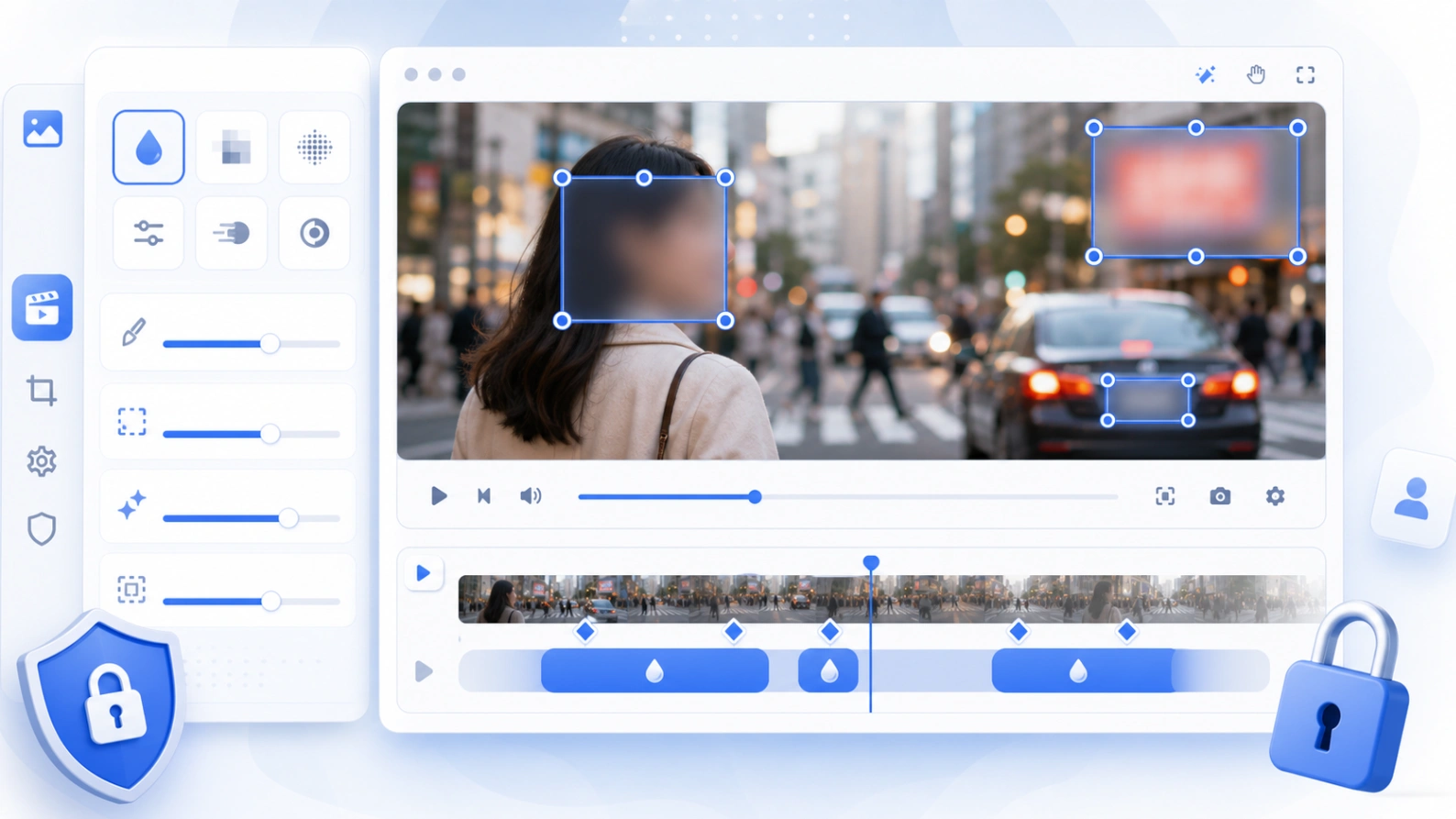
First version focuses on manual control: rectangle blur areas, drag and resize handles, time ranges, and simple keyframes for moving subjects.
Så fungerar det
Use the editor when you need a quick browser-based way to hide sensitive video details before publishing or sharing.
Välj MP4, WebM, MOV eller ett format som webbläsaren kan läsa.
Placera rektanglar på ansikten, skyltar, skärmar, namn, adresser eller chatt.
Välj start och slut; lägg till keyframes om motivet rör sig.
Spara videon och kontrollera privat information innan publicering.
Vanliga användningar
Verktyget passar integritetsredigering där manuell markering är mer pålitlig än ett automatiskt resultat.
Dölj personer i eventklipp, kundberättelser, klassvideor, offentligt material och sociala inlägg.
Täck e-post, användarnamn, order-ID, adresser, chattar, dashboards och kontouppgifter.
Använd för gatuvideo, resklipp, begagnatannonser, leveranser och dashcam-exporter.
Välj mjuk Gaussisk oskärpa, tydlig pixelering eller svart mask för starkare täckning.
Integritet och gränser
This first version uses local browser APIs for preview and export. It avoids server-side processing and does not load heavy video encoders on first paint.
Förhandsvisning och export körs i webbläsaren, bäst för korta videor.
Dölj ansikten, skyltar, text, paneler och kunddata.
Komprimera eller klipp videon om enheten har begränsat minne.
FAQ
Answers for privacy, quality, formats, keyframes, and mobile use.
Ja. Placera området på ansiktet och använd keyframes vid rörelse.
Ja. Använd suddighet, pixelering eller svart mask.
Förhandsvisning och export fungerar i webbläsaren.
Relaterade verktyg
Blur faces, text, screenshots, and private image details.
Öppna verktyg →Hide faces in photos before posting or sharing.
Öppna verktyg →Cover names, emails, addresses, and private screenshot text.
Öppna verktyg →Make privacy edits obvious for faces, plates, screenshots, and documents.
Öppna verktyg →