Retro Film Grain Filter – Add Vintage Texture to Photos Online
Transform your digital photos into timeless cinematic masterpieces. Add authentic retro film grain, noise, and vintage textures in seconds—completely free and browser-based.
How to Add Retro Grain to Photos in 3 Simple Steps
Upload Your Photo
Click the upload box to select a photo from your device. We support high-resolution images for the best grain quality.
Select Your Grain Mode
Choose between Standard for a subtle, natural texture or High Intensity for a bold, vintage film aesthetic. Preview the results instantly.
Download & Share
Once satisfied with the retro look, click download to save your high-quality, grainy masterpiece to your device.
Professional Film Grain Effects for Every Creator
Authentic Film Look
Our algorithm mimics real silver halide film grain, giving your photos a natural, organic texture rather than digital noise.
Real-Time Live Preview
See every adjustment as you make it. Fine-tune the "roughness" and "intensity" of the filter with instant visual feedback.
Privacy-First Processing
Your photos are processed locally in your browser. We never upload your images to our servers, ensuring 100% privacy and security.
Free & No Watermark
Enjoy professional-grade photo editing tools without hidden costs, subscriptions, or intrusive watermarks on your art.
Why Use a Retro Grain Filter?
Digital photography today is often "too perfect." Adding a film grain effect helps to:

Add Depth & Organic Character to Flat Digital Shots
Modern digital photography often suffers from a sterile perfection. By applying our authentic film grain effect, you can instantly break up flat gradients. Our **Standard mode** adds a layer of organic depth that makes your photos feel alive without overwhelming the details.
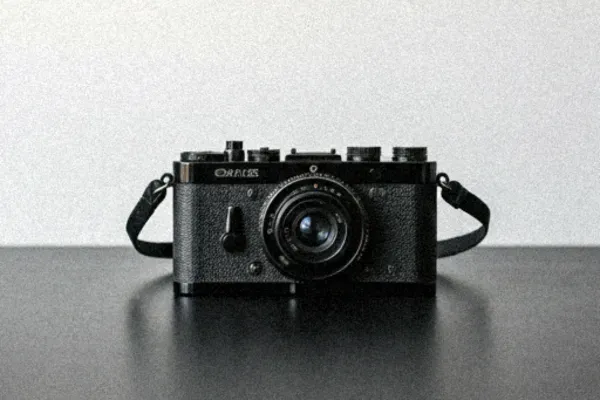

Master the Timeless 35mm Film Aesthetic
Replicating the iconic look of 35mm film is the fastest way to evoke nostalgia. Whether you need a subtle vintage glow or a heavy, grainy grit, our preset modes help you achieve a classic **film aesthetic** that gives your modern gallery a professional, high-end finish.

Fix Digital Perfection and Hide Image Artifacts
Sometimes digital photos look 'too sharp' or show compression artifacts. Using the **High Intensity mode** acts as a professional-grade solution to mask these imperfections, naturally smoothing out pixelation by overlaying a consistent, artistic film-scan texture.

Achieve a Cinematic Vibe for Social Media Influence
The vintage grain aesthetic is the secret weapon for a 'movie-still' look. With two distinct intensity levels, you can create a unique visual identity that captures attention on crowded feeds, giving your storytelling a premium, cinematic feel with just one click.